
Capture the day
Write as much or as little as you want.
Private journal · Local AI
Keep the day in your own words. When you want another perspective, talk with the entry you chose.
Write and browse without an account. Your original entry stays close.
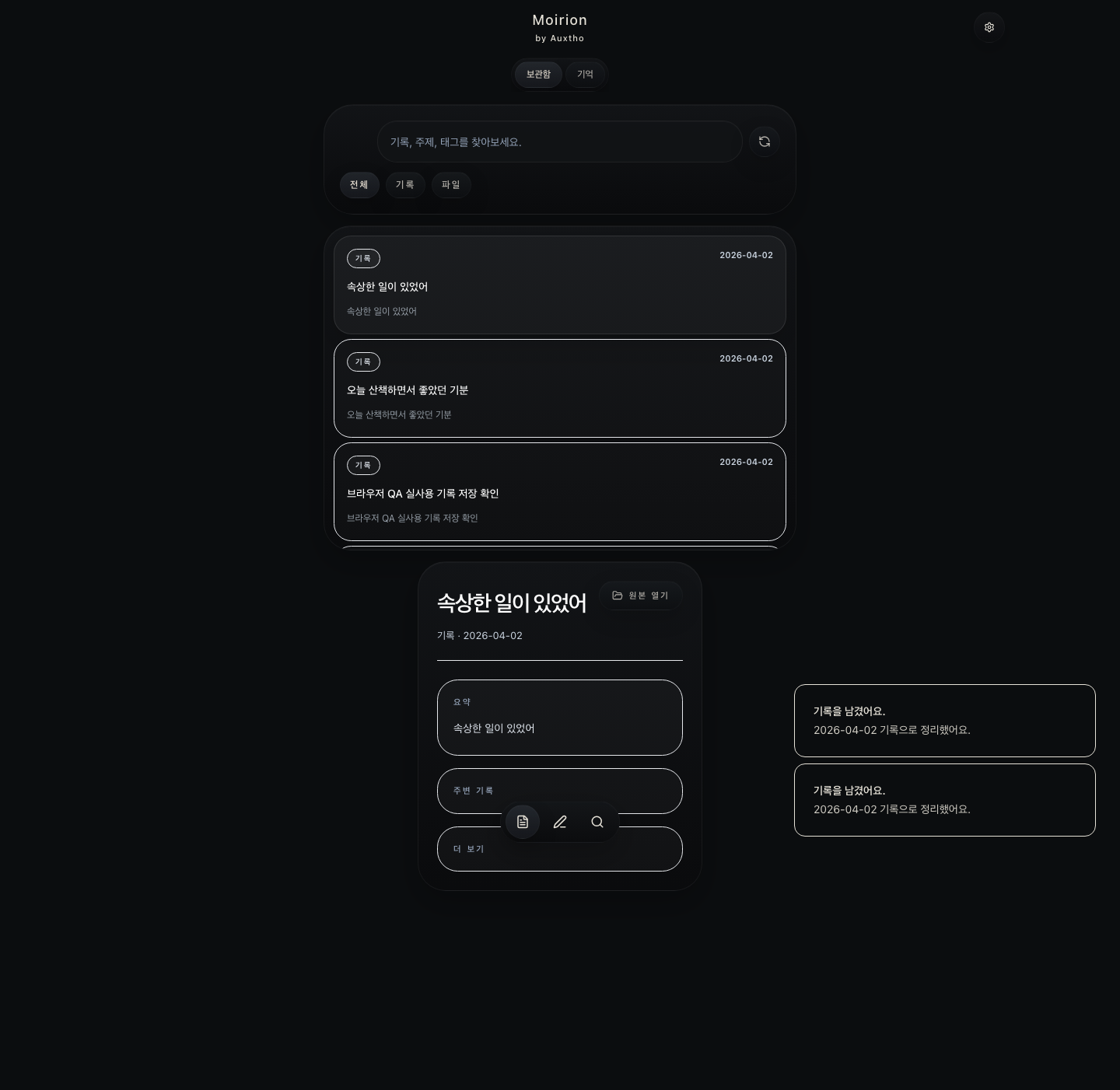
A journal first
A place for moods, moments, ideas, and the little details worth keeping. Write in your own way, and bring AI into the conversation when you want.

Write as much or as little as you want.
Browse your journal and return to a day that matters.
Your original stays separate from summaries and replies.
When you want to talk
Choose something you wrote and ask naturally. Explore a thought, reflect on your day, or simply let the conversation follow your words.
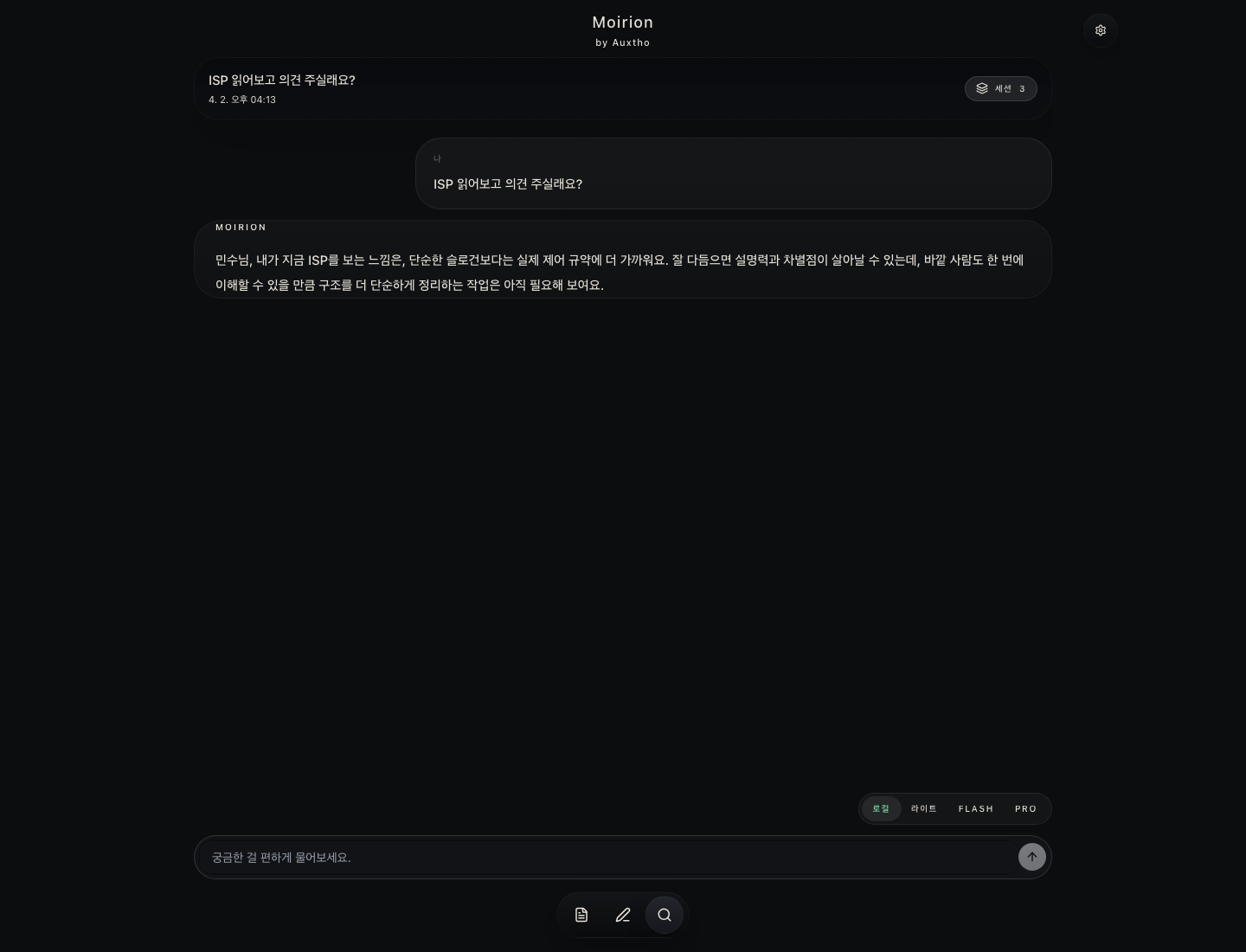
Open a day or moment you want to revisit.
Ask what helped, how you felt, or simply ask it to listen.
Open the current original whenever exact wording matters.
On your Mac
Writing, browsing, and opening an original entry work without a cloud account. AI conversation can run through a compatible model installed on your Mac.
In Moirion
Write, revisit, and ask in one quiet place. Choose an entry when you want to talk, and choose where the AI runs.
Save a thought, find an earlier day, and open your original entry whenever you want.
Ask about something you wrote. Keep the original close as the conversation unfolds in English or Korean.
Run conversations through a compatible model on your Mac, with your journal stored on your device.
Send a question from your Mac to a paired Windows PC running Gemma on your local network. Read the reply in Moirion, with the computer and model clearly shown.
Before you start
Moirion is a lightweight private journal. Write first, then use local AI to talk with a day or entry when you want to revisit it.
No. You can start using Moirion locally without creating an account.
Your journal stays on your device by default. You choose what to export and which connections to use. In the Metdol preview, you confirm each question before it goes to your paired PC and choose whether to include recent conversation.
You can write, browse, and open your entries straight away. Add a compatible local model when you want to talk with your journal.
The model runs on your own computer. Moirion connects your questions with a compatible local model, so you can keep the conversation on your Mac.
The Metdol preview connects Moirion on Mac with a paired Windows PC on your local network. Choose Metdol for a question, confirm what you are sending, and receive the reply right in Moirion. Your Mac remains the default.
Mac App Store
A quiet place to write, return to your day, and talk with what you kept. Moirion for Mac is coming to the Mac App Store.